Experiment:
Making a 360° Video version of an interactive VR experience in Unity
Making a 360° Video version of an interactive VR experience in Unity
Objective:
Share the VLW experience with a wider audience by adapting it to YouTube 360
Dune: threesixty
Adapting Depthkit Cinematic in Unity to 360 Video
By: Andrew Polino
10/25/17 | 5 hrs
Work:
The intro to our volumetric VR experience of Video Lab West adapted to a 360° video for viewing on YouTube
How I captured this scene:
- Used the Unity plugin OliVR Panorama 360 PRO Renderer which can capture 360° stills OR "animated" sequences of multiple frames while in "Play/Preview" mode in Unity projects (see 'Settings' below).
- Used Xbox Game DVR to record Depthkit clip of Meghan speaking (PRO Renderer could not capture realtime Depthkit footage, only gathering ~48 frames of Meghan, so I deactivated the 'checkpoint' that triggers Meghan's scene and took the still panorama from inside where the checkpoint would be. Then turned the trigger back on, turned off the PRO Renderer, and applied the Game DVR to Unity so that starting "Preview" mode would instantly trigger Meghan's video (which the DVR would record).
- In Adobe Premiere: combined the OliVR still panorama of the VLW space, the video capture of Meghan (carefully cropped, lined up with her spot in the still, and adapted for stereoscopic 3D using Skybox's 'Project 2D' effect), and the audio from the original Depthkit footage. Exported with VR metadata (Stereoscopic Over/Under) and .h265 codec (in order to export in 8K resolution) for Youtube upload (see 'Settings' below).
Settings:
For OliVR plugin in Unity:
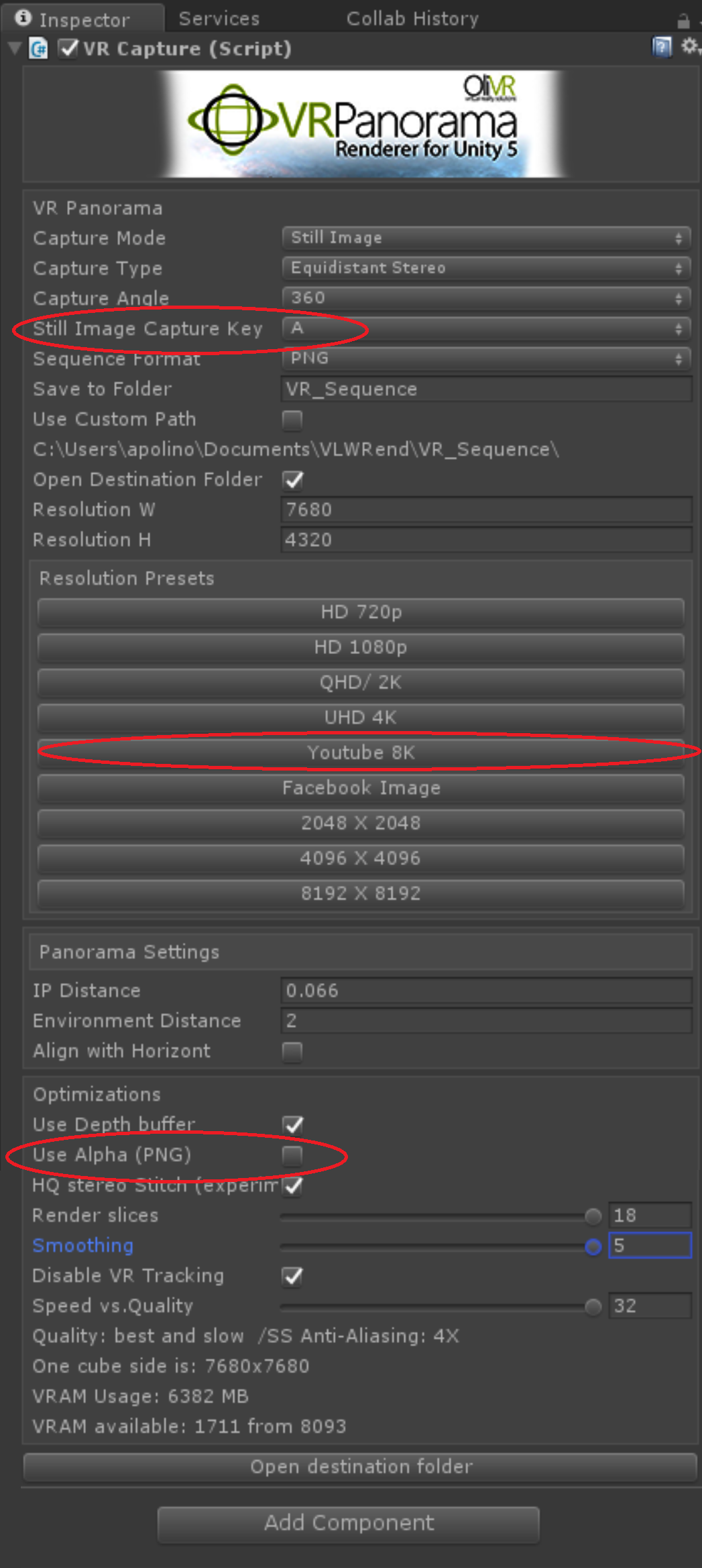
For OliVR plugin in Unity:
Notes:
- Still Image Capture Key: I set to 'A' because that key does not trigger any other functions in this scene (i.e. the 'Jump' function on the FPS controller)
- 'Youtube 8K' Preset Button: Required for optimal Youtube upload. Will also define Premiere's sequence settings.
- Use Alpha (PNG): Make sure this box is unchecked. Using it can cause darkened seam lines.
Otherwise, turn the Optimization settings up. This will make for the highest quality still capture, but it also means Unity will take a longer time to take the screenshot.
For Adobe Premiere:
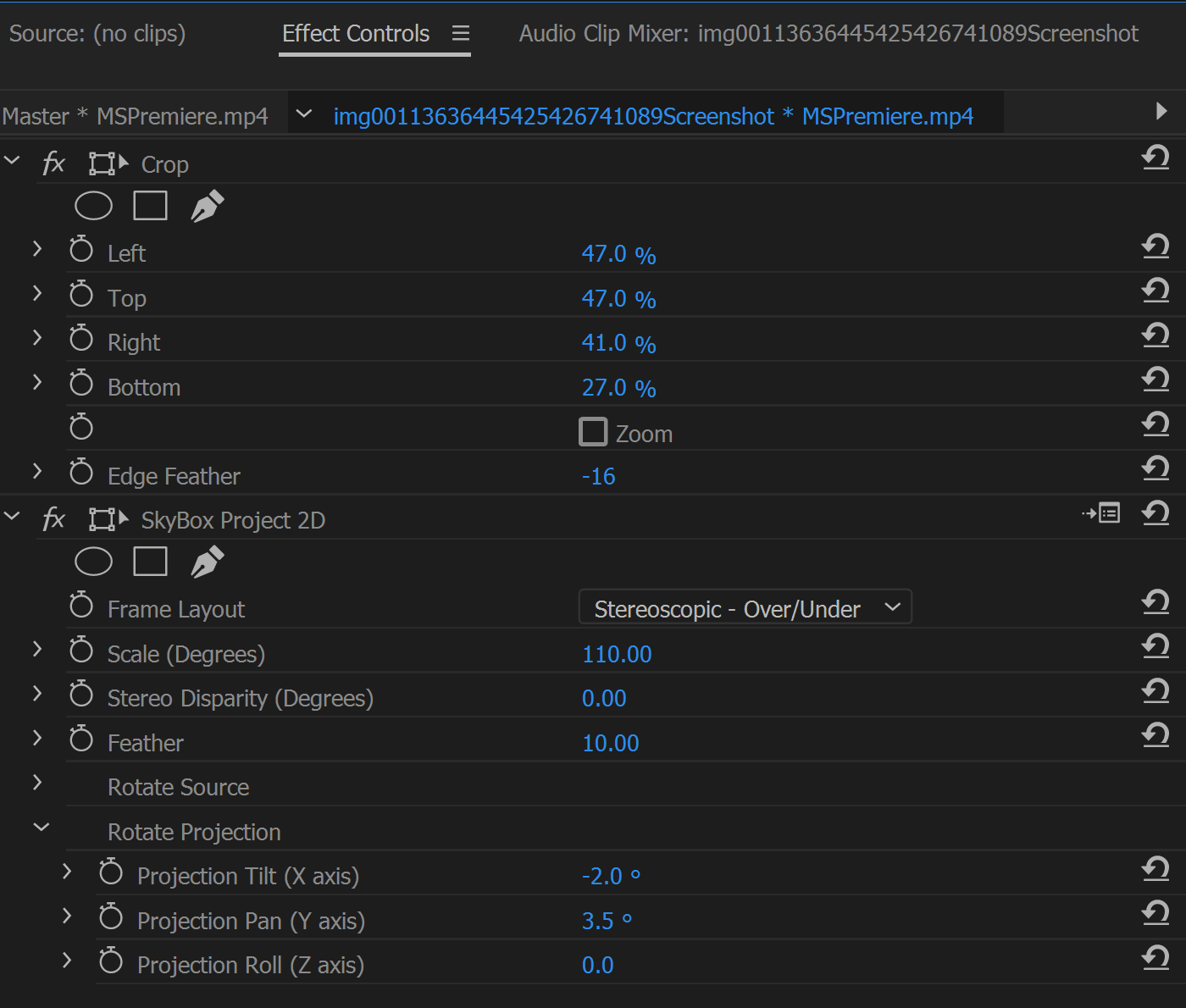
Notes:
- These settings do NOT need to be copied by the numbers.
- Effects are added to the VIDEO .mp4 file taken with the Xbox Game DVR. Added the following Effects to video layer: 'Crop' to cut out details around Meghan in video, and Skybox Project 2D to a.) Set layout to 'Stereoscopic - Over/Under and b.) use 'Rotate Projection' to properly align video in its position over environment.
- Also adjusted 'Scale' (not pictured) to make sure video fit properly in environment
For Premiere Export:
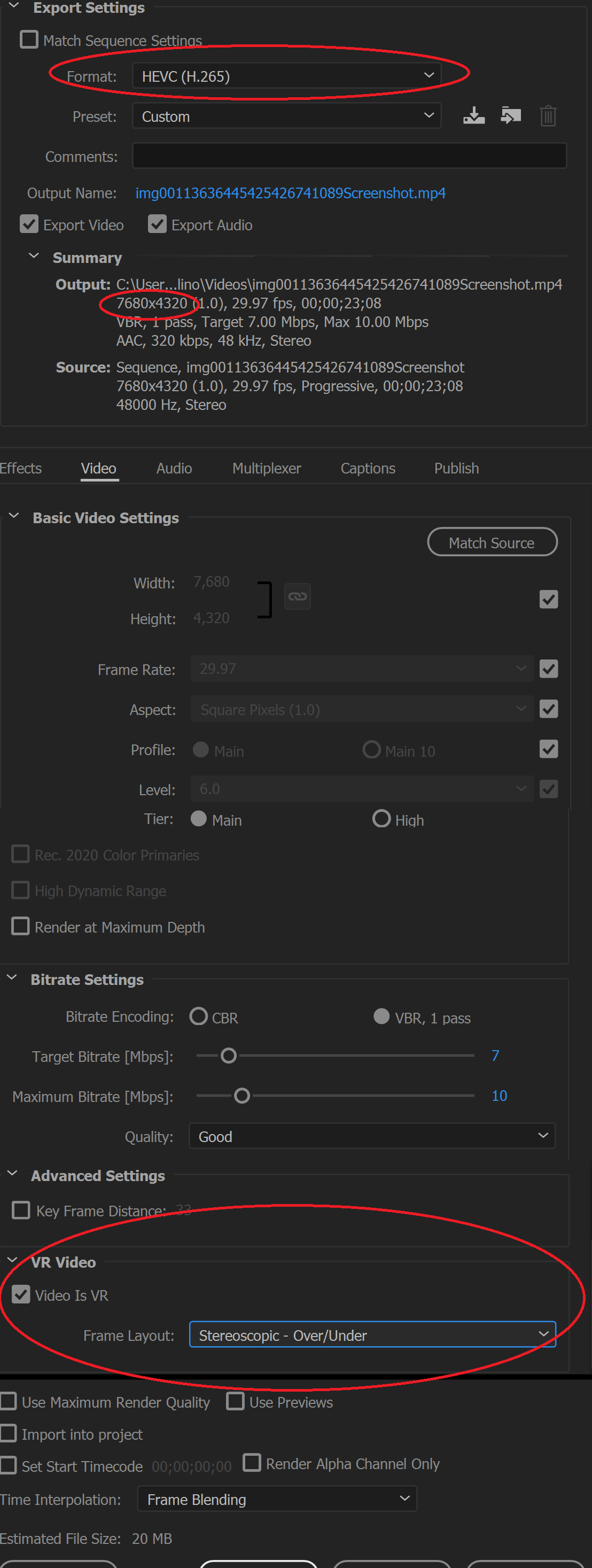
Notes:
- Format: MUST be set to HEVC (H.265) otherwise Premiere cannot export in Youtube 8K resolution
- Output: Resolution should be 7680x4320
- VR Video: Do NOT export unless "Video is VR" box is checked and Frame Layout is set to "Stereoscopic - Over/Under"
Upload exported clip to Youtube. Youtube should automatically render it in high res, 360, and 3D if all capture, edit, and export settings were correct.