3D scanning, and delivery with Google's Project Tango devices.
Work:
Here are two practice scans of the dress Rosa Parks was carrying that historic day she, when she was arrested for riding in front of bus.
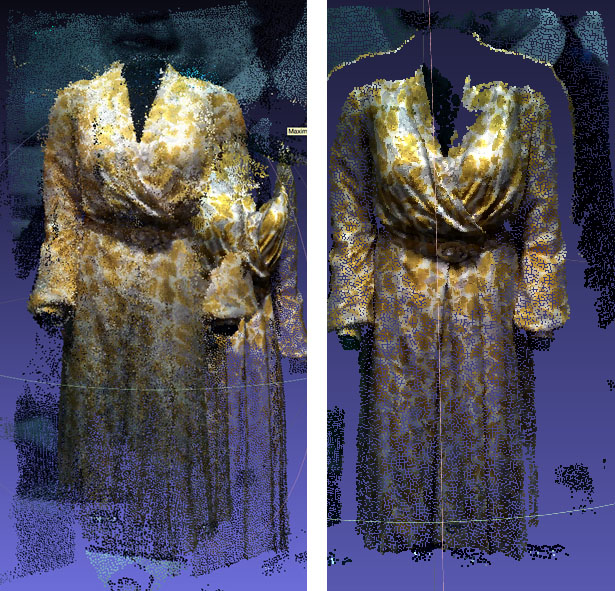
The two scans illustrate a problem with the MatterPort Scenes. In the image on the left, I tried to move around the dress and spatial drifting occurred. The phone lost its place and so it started to re-record the same points in different places. It's very pronounced in this image which was recorded through a reflective surface, but even when scanning plain opaque surfaces, there is a loss of clarity if you do multiple passes. The image on the right, by contrast, was produced with the phone sweeping over the dress only once, from a single perspective. The result is a 3D image with less noise and increased clarity. However the depth is limited. The recorded image is essentially a shell.
Next Steps
- Compare to photogrammetry for clarity and ease of use.
- Look for App improvements or better apps
- Investigate a post-processing solution
- Investigate a workflow that combines multiple shells into a full 3D image.
Feedback
- None Yet
Work:
I started scanning using an app called Real-Time Appearance-Based Maps, but found it buggy at best.
Then I discovered the more polished MatterPort Scenes App. The App creates a 3D model using Tango's structured light sensor. It basically bounces infrared light off of a surface to determine how far a given point is from the lens. It then colors that point using the wide angle lens, and begins establishing a cloud of these points in 3D, as you move through space and turn the phone, the app progressively adds more points. The resulting file is called a point cloud.
Here's a gif of the first point cloud I made:
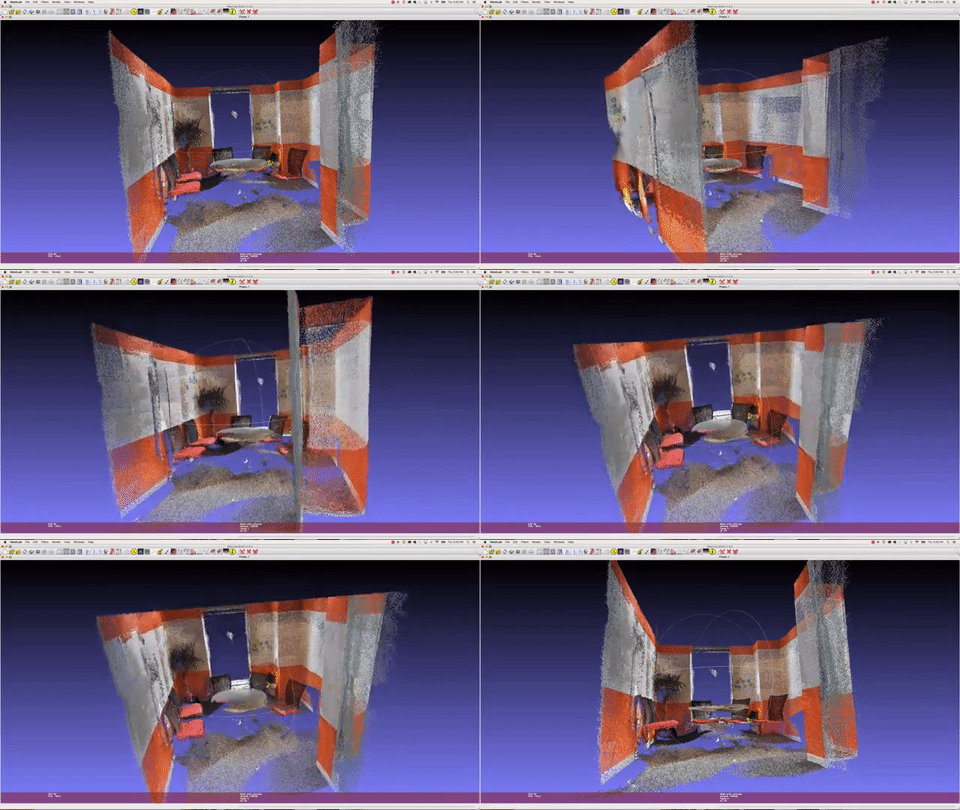
File sharing isn't fully supported in the app but it's possible to export the model as a .PLY or Polygon File Format formatted as binary_little_endian 1.0.
After a bit of research, I discovered a free and powerful cross-platform application called MeshLab that allows me to open and manipulate the file. The GIF above is a screen record of MeshLab
Next Steps
- Get more practice scanning
- Figure out the best way to deliver the resulting files to an audience
- Find more apps
Feedback
None yet